# Pourquoi créer des personnages ?
Les personnages sont les acteurs de votre récit. En les créant dans la plateforme, vous pouvez les réutiliser facilement dans vos étapes et événements, et permettre aux lecteurs d'en apprendre davantage sur eux au fil de l'histoire.
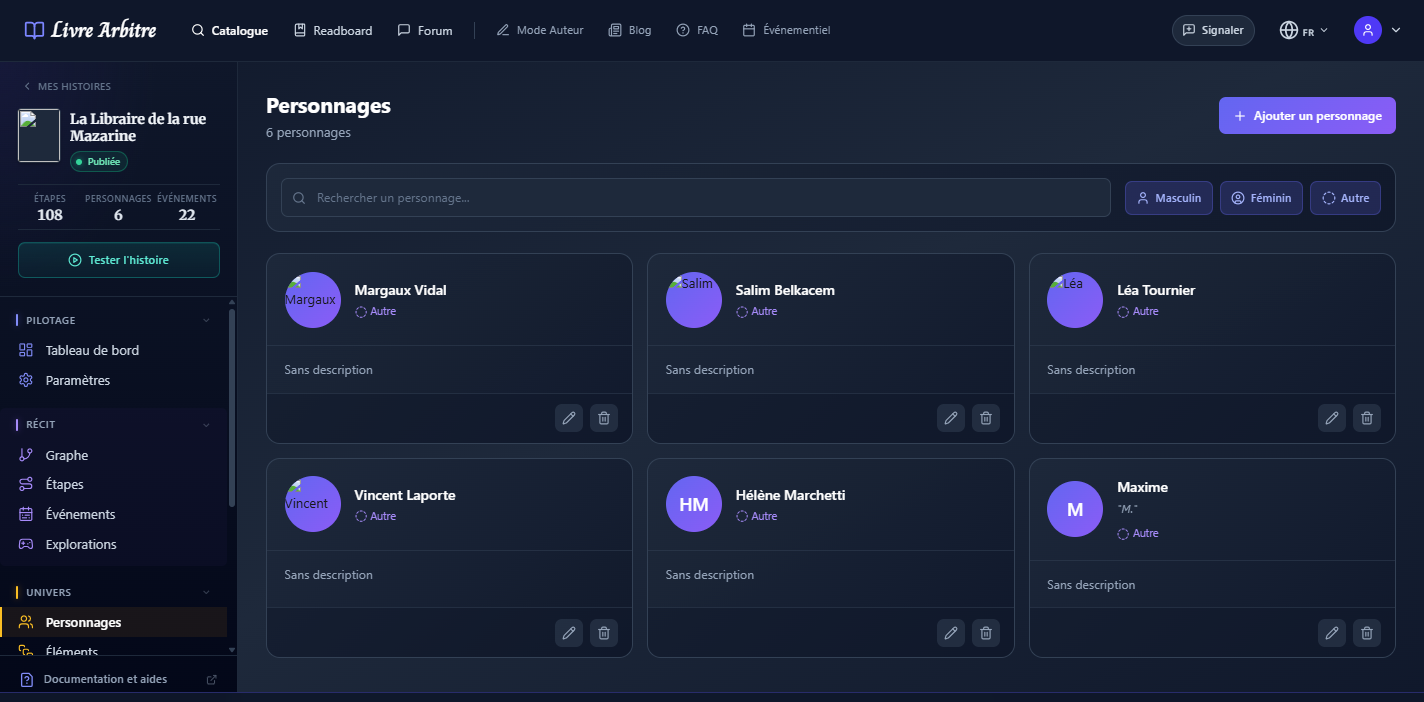
Fiches personnages
# Anatomie d'une fiche personnage
| Champ | Description | Exemple |
|---|---|---|
| Prénom | Le prénom du personnage | Élise |
| Nom | Le nom de famille | Duval |
| Surnom | Un alias ou diminutif | La Sorcière |
| Âge | L'âge du personnage | 34 |
| Genre | Masculin, Féminin ou Autre | Féminin |
| Background | Histoire et personnalité | Ancienne archéologue... |
| Avatar | Image représentant le personnage | Image PNG/JPG |
# Créer un personnage
1
Accédez à la liste
Dans le menu latéral, cliquez sur "Personnages".
2
Ajoutez un personnage
Cliquez sur "Ajouter un personnage" en haut à droite.
3
Remplissez l'identité
Saisissez les informations de base : prénom, nom, surnom, âge et genre.
4
Rédigez le background
Décrivez l'histoire, la personnalité et les motivations du personnage.
5
Ajoutez un avatar
Uploadez une image pour représenter visuellement votre personnage.
# Champs personnalisés
En plus des champs standards, vous pouvez ajouter des champs personnalisés pour enrichir la fiche de votre personnage :
- Profession — Détective, sorcière, pilote...
- Lieu de naissance — Pour les histoires avec une forte composante géographique
- Signe particulier — Cicatrice, tatouage, tic verbal...
- Relations — Liens avec d'autres personnages
- Secrets — Informations cachées révélées progressivement
Révélation progressive
# Utiliser les personnages
Une fois créés, vos personnages peuvent être utilisés de plusieurs façons :
- Dans les événements — Comme expéditeur d'emails ou de messages
- Dans les étapes — Pour débloquer des informations sur un personnage
- Consultation — Le lecteur peut consulter les fiches des personnages rencontrés
# Conseils de création
- Donnez-leur des failles — Les personnages parfaits sont ennuyeux
- Créez des motivations claires — Que veut ce personnage ?
- Pensez aux relations — Comment interagit-il avec les autres ?
- Soyez cohérent — Le personnage doit agir selon sa personnalité
- Évitez les clichés — Ou subvertissez-les intelligemment