# Qu'est-ce qu'un événement ?
Les événements sont des messages ou notifications envoyés au lecteur en dehors du flux narratif principal. Ils permettent de briser le quatrième mur et créer une expérience véritablement immersive.
L'immersion avant tout
# Types d'événements
Envoyez un email fictif au lecteur, comme s'il provenait d'un personnage de l'histoire.
- Expéditeur — Le personnage qui envoie l'email
- Sujet — L'objet de l'email
- Contenu — Le corps du message avec mise en forme
Cas d'usage
# Créer un événement
1
Accédez à la liste des événements
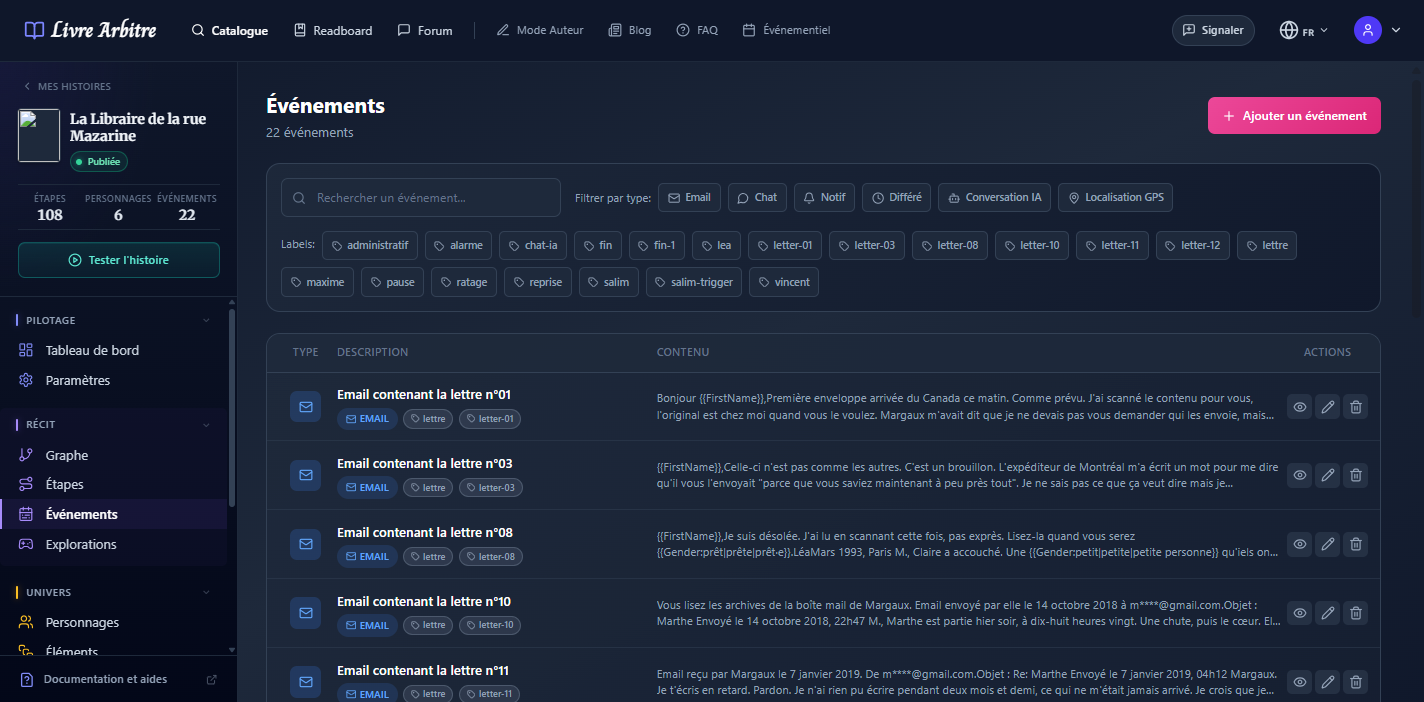
Dans le menu latéral de votre histoire, cliquez sur "Événements".
2
Créez un nouvel événement
Cliquez sur le bouton "Ajouter un événement" en haut à droite.
3
Choisissez le type
Sélectionnez Email ou Message Chat selon vos besoins.
4
Rédigez le contenu
Utilisez l'éditeur riche pour formater votre message de manière réaliste.
5
Configurez le destinataire
Choisissez si l'événement s'adresse au joueur actuel ou à tous les joueurs.
# Lier un événement à une étape
Pour qu'un événement soit déclenché, vous devez le lier à une étape de votre histoire :
- Ouvrez l'éditeur de l'étape concernée
- Dans la section "Événements", cliquez sur "Choisir des événements"
- Sélectionnez les événements à déclencher
- Sauvegardez l'étape
Timing important
# Bonnes pratiques
- Restez cohérent — Le ton de l'événement doit correspondre au personnage expéditeur
- Dosez les événements — Trop de notifications peuvent devenir intrusives
- Apportez de la valeur — Chaque événement doit faire avancer l'histoire ou révéler une information
- Utilisez les variables — Personnalisez le contenu avec le nom du lecteur