# Qu'est-ce qu'une variable ?
Une variable est une valeur qui peut changer au cours de l'histoire en fonction des choix du lecteur. Elle permet de mémoriser des informations et de créer des branches conditionnelles complexes.
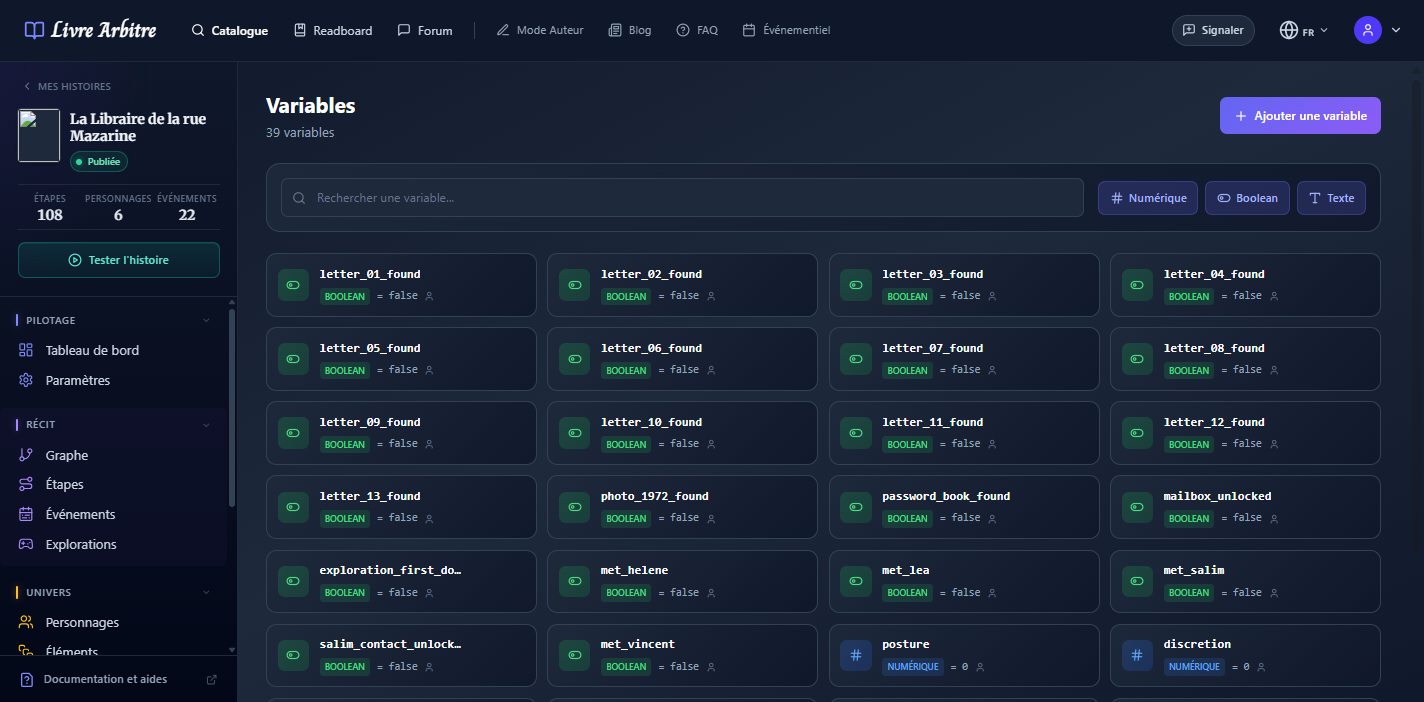
Analogie simple
# Types de variables
Stocke un nombre entier ou décimal. Idéal pour les compteurs, scores et statistiques.
- Points de vie — De 100 à 0
- Or collecté — Augmente avec les trouvailles
- Réputation — Varie selon les actions
- Temps restant — Compte à rebours
# Créer une variable
Accédez aux variables
Dans le menu latéral, cliquez sur "Variables".
Ajoutez une variable
Cliquez sur "Ajouter une variable".
Nommez-la
Choisissez un nom descriptif sans espaces (ex: points_de_vie).
Choisissez le type
Numérique, Booléen ou Texte.
Définissez la valeur par défaut
La valeur initiale au début de l'histoire.
# Portée des variables
En mode multijoueur, les variables peuvent être privées ou partagées :
| Type | Description | Exemple |
|---|---|---|
| Privée | Chaque joueur a sa propre valeur | inventaire_joueur |
| Partagée | Même valeur pour tous les joueurs | porte_principale_ouverte |
# Modifier une variable
Vous pouvez modifier les variables depuis les étapes. Dans la section "Variables" de l'éditeur d'étape, plusieurs actions sont disponibles :
- Incrémenter — Ajoute une valeur (pour les numériques)
- Décrémenter — Soustrait une valeur (pour les numériques)
- Assigner valeur — Définit une nouvelle valeur
- Assigner si défaut — Modifie seulement si la variable n'a pas changé
# Utiliser dans le texte
Vous pouvez insérer la valeur d'une variable directement dans le texte de vos étapes grâce au bouton "Ajouter des variables" de l'éditeur.
Personnalisation
# Variables système
En plus de vos variables personnalisées, des variables système sont disponibles :
- FirstName — Prénom du lecteur
- LastName — Nom du lecteur
- FullName — Prénom + Nom
- Age — Âge du lecteur
- CurrentTime — Heure actuelle
- PlayerFirstName:X — Prénom du joueur X (multijoueur)
# Rendre une variable visible par l'IA
L'option Visible par l'IA (désactivée par défaut) autorise les personnages IA — par exemple un PNJ avec qui le lecteur discute — à connaître cette variable et sa valeur actuelle, pour s'y adapter dans leurs réponses. Laissez-la désactivée pour les variables techniques ou de mise en scène qui ne doivent pas influencer l'IA. La même option « Visible par l'IA » existe sur les caractéristiques (stats).