# Qu'est-ce qu'une étape ?
Une étape est l'unité fondamentale de votre histoire interactive. Elle représente un moment précis du récit : une scène, un dialogue, une description ou une situation où le lecteur doit faire un choix.
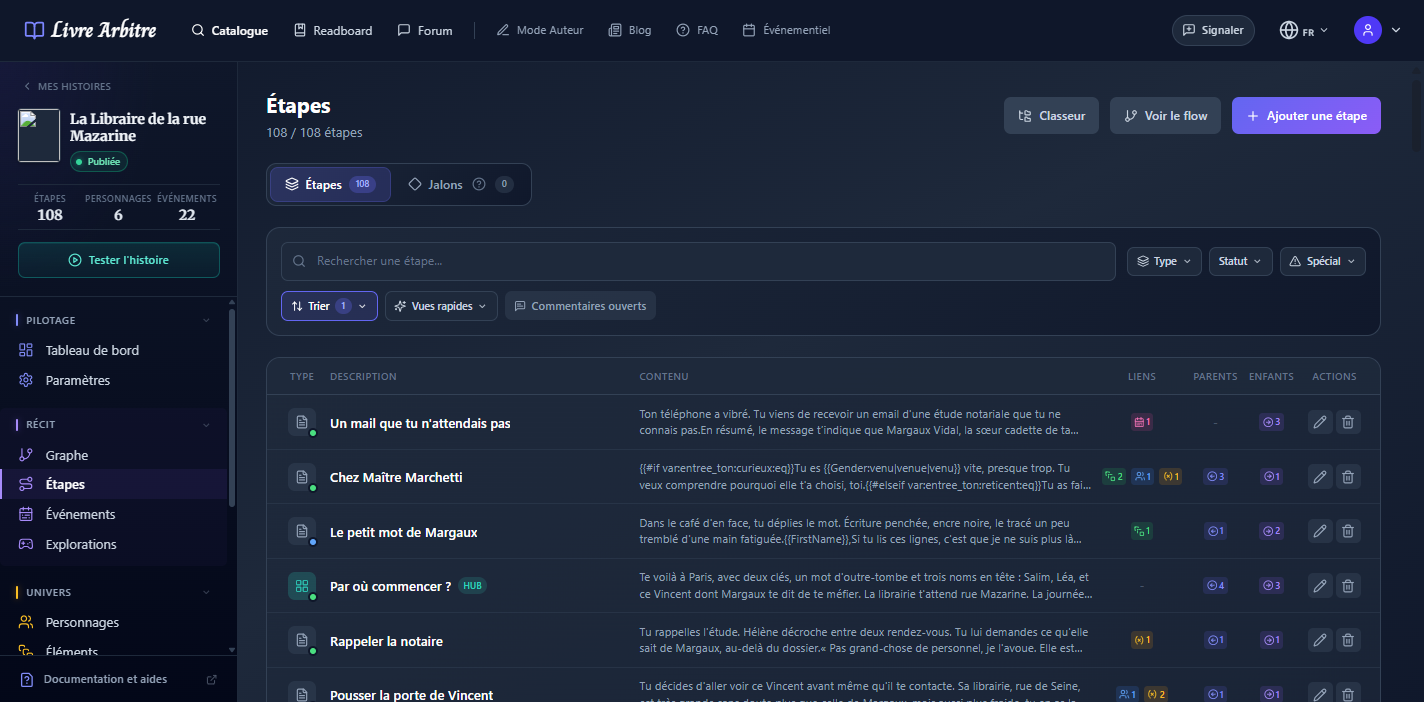
Analogie simple
# Types d'étapes
Les étapes sont caractérisées par leur position dans l'arborescence de votre histoire :
- Étape de départ — Le point d'entrée de votre histoire, marqué par une icône verte. Il ne peut y en avoir qu'une seule.
- Étape intermédiaire — Les scènes qui composent le corps de votre récit, avec des connexions entrantes et sortantes.
- Étape de fin — Les conclusions de votre histoire, sans connexion sortante. Vous pouvez avoir plusieurs fins différentes.
# Anatomie d'une étape
Chaque étape est composée de plusieurs éléments que vous pouvez configurer :
| Élément | Description | Obligatoire |
|---|---|---|
| Contenu | Le texte narratif affiché au lecteur | Oui |
| Description | Note interne pour vous repérer | Non |
| Joueur associé | En mode multijoueur, qui voit cette étape | Non |
| Liens parents | Les étapes qui mènent à celle-ci | Non* |
| Point de départ | Marque le début de l'histoire | Non |
Attention aux orphelins
Changer l'étape parente
# L'éditeur de contenu
L'éditeur de texte riche vous permet de formater votre contenu avec :
- Mise en forme — Gras, italique, souligné, barré (raccourcis Ctrl+B, Ctrl+I, Ctrl+U, Ctrl+Maj+S)
- Titres — Paragraphe, H1, H2, H3 via un sélecteur compact
- Listes — À puces ou numérotées
- Styles de bloc — Citation, Narrateur, Encadré info, Encadré avertissement
- Menu Insérer ✨ — Variables, texte conditionnel, genre lecteur/joueur, mentions de personnages/objets
- Alignement — Gauche, centré, droite, justifié
- Bulle de formatage — Apparaît au-dessus d'une sélection pour formater rapidement
Pas de liens externes
# Les liens parents
Les liens parents définissent comment les lecteurs arrivent à cette étape. Chaque lien comprend :
- L'étape source — D'où vient le lecteur
- Le texte du lien — Ce que le lecteur clique (ex: "Ouvrir la porte")
- Les conditions — Optionnel : quand le choix est disponible