# Qu'est-ce que le Node Flow ?
Le Node Flow est un éditeur visuel qui représente votre histoire sous forme de graphe. Chaque nœud correspond à une étape, et les connexions représentent les liens entre elles.
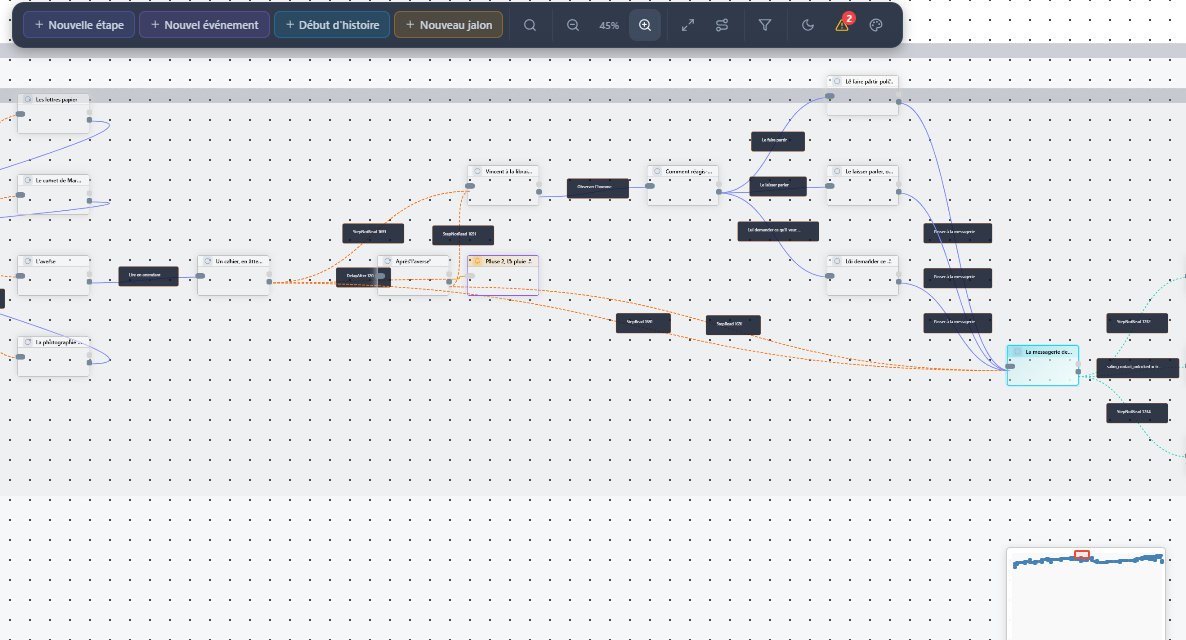
Vue d'ensemble
# Navigation dans le canvas
| Action | Souris | Description |
|---|---|---|
| Déplacer la vue | Clic gauche + glisser | Naviguez dans le canvas en maintenant le clic |
| Zoomer | Molette | Ajustez le niveau de zoom pour voir plus ou moins de détails |
| Sélectionner | Clic sur un nœud | Sélectionnez une étape pour voir ses détails |
| Menu contextuel | Clic droit | Accédez aux actions rapides |
# Anatomie d'un nœud
Chaque nœud affiche des informations visuelles sur l'étape qu'il représente :
- Icône de type — Verte pour le départ, rouge pour les fins
- Titre — La description de l'étape
- Badges — Nombre de personnages, événements, éléments liés
- Points de connexion — En haut (entrées) et en bas (sorties)
# Code couleur des connexions
- ● Violet — Connexion standard entre deux étapes
- ● Vert — Connexion depuis le point de départ
- ● Orange — Connexion avec condition
- ● Rouge — Problème détecté (étape orpheline)
# La minimap
En bas à droite du canvas, une minimap vous permet de :
- Voir l'ensemble de votre graphe en miniature
- Vous repérer rapidement dans les grandes histoires
- Naviguer en cliquant directement sur la minimap
- Visualiser la zone actuellement affichée