# Qu'est-ce qu'un élément ?
Les éléments sont des blocs de contenu réutilisables dans votre histoire. Ils peuvent représenter des objets, des lieux, des documents ou tout autre élément narratif que vous souhaitez pouvoir insérer à plusieurs endroits.
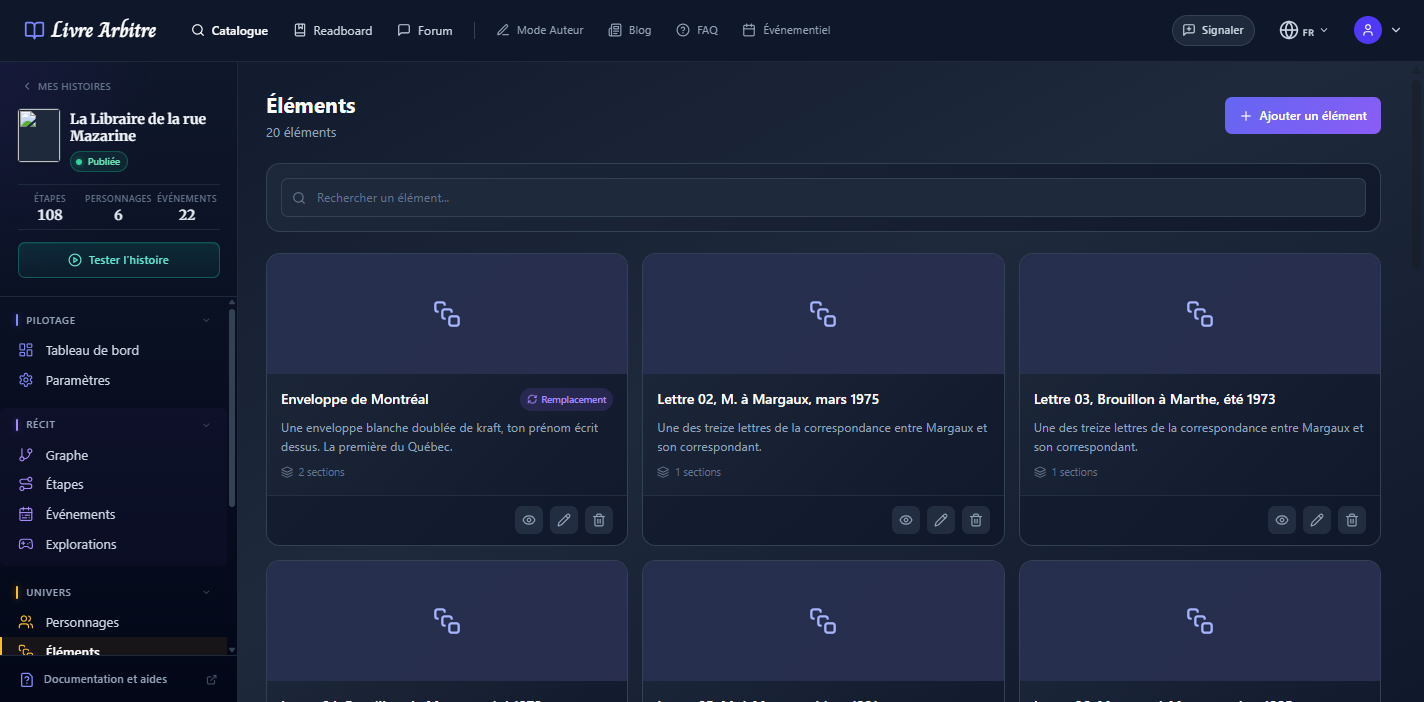
Exemple concret
# Structure d'un élément
| Champ | Description |
|---|---|
| Nom | Identifiant de l'élément (ex: "Lettre du Comte") |
| Description interne | Note pour vous aider à vous repérer |
| Image | Visuel représentant l'élément |
| Mode remplacement | Comportement lors de l'affichage |
| Sections | Contenus textuels de l'élément |
# Les sections
Un élément peut contenir plusieurs sections, chacune avec son propre contenu formaté. Cela permet de structurer des éléments complexes.
- Document multi-pages — Chaque section = une page
- Objet avec descriptions — Description courte + description détaillée
- Lieu évolutif — Description de jour / de nuit / après un événement
# Mode remplacement
Le mode remplacement détermine comment l'élément s'affiche dans une étape :
- Désactivé — Le contenu de l'élément s'ajoute au contenu de l'étape
- Activé — Le contenu de l'élément remplace le contenu de l'étape
Usage du remplacement
# Créer un élément
1
Accédez aux éléments
Dans le menu latéral, cliquez sur "Éléments".
2
Créez un élément
Cliquez sur "Ajouter un élément".
3
Remplissez les informations
Nom, description interne et mode remplacement.
4
Ajoutez des sections
Cliquez sur "Ajouter une section" et rédigez le contenu.
5
Uploadez une image
Optionnel : ajoutez un visuel pour l'élément.
# Lier un élément à une étape
Pour afficher un élément dans une étape :
- Ouvrez l'éditeur de l'étape
- Dans la section "Éléments", cliquez sur "Choisir des éléments"
- Sélectionnez les éléments à afficher
- Sauvegardez l'étape
# Idées d'utilisation
- Lettres et journaux — Documents découverts par le lecteur
- Fiches de lieux — Descriptions de villes, donjons, planètes...
- Objets d'inventaire — Épées, potions, clés...
- Indices d'enquête — Photos, témoignages, preuves
- Flashbacks — Souvenirs débloqués au fil du récit