# Éléments avancés
Les éléments sont bien plus que de simples blocs de texte réutilisables. Ce guide explore les fonctionnalités avancées qui vous permettent de créer des systèmes d'inventaire, des documents complexes et des éléments de worldbuilding immersifs.
# Sections en profondeur
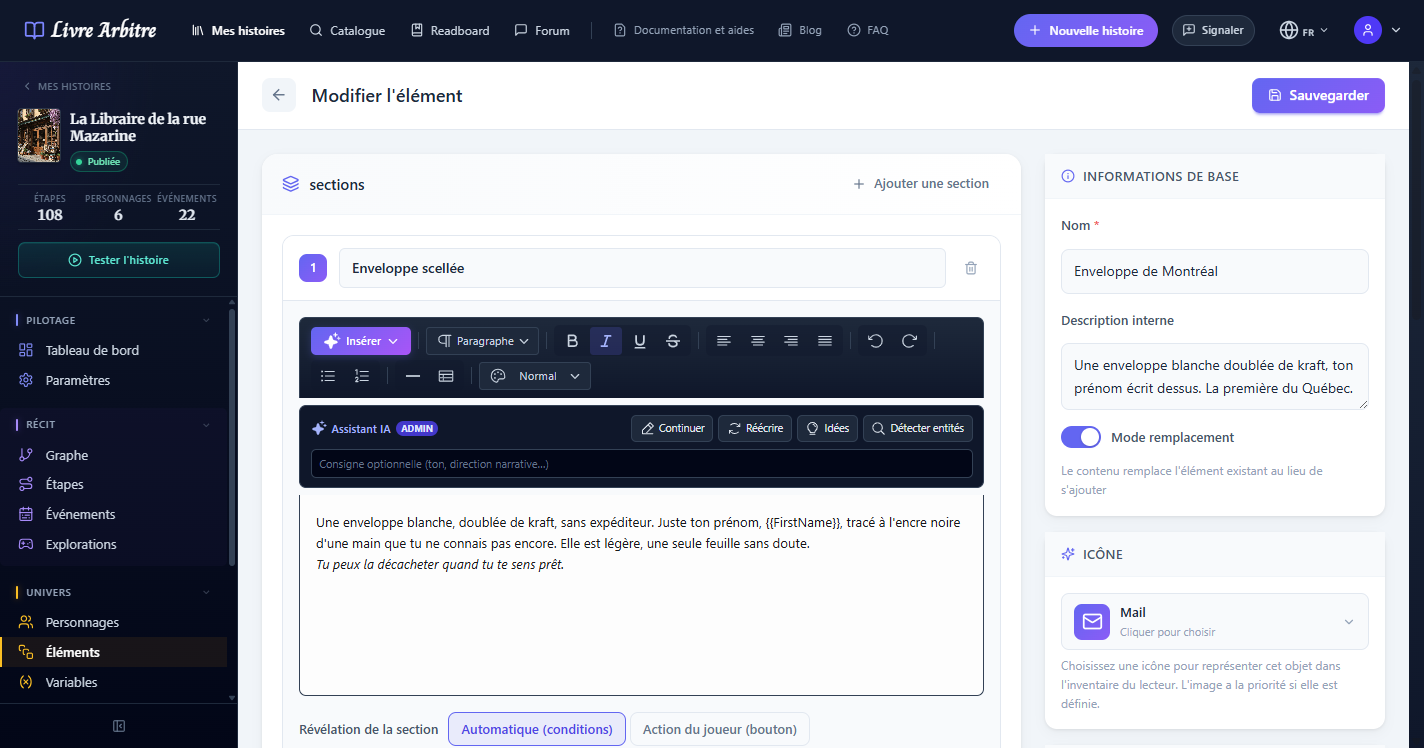
Un élément peut contenir plusieurs sections, chacune avec son propre titre et contenu formaté. Cette structure multi-sections vous permet de créer des éléments complexes et richement détaillés.
- Chapitres d'un journal — Chaque section représente une entrée datée
- Pages d'un grimoire — Le lecteur feuillette les différentes pages
- Facettes d'un lieu — Description extérieure, intérieure, souterraine
- Historique d'un objet — Origine, propriétaires successifs, pouvoirs
# Les éléments comme inventaire
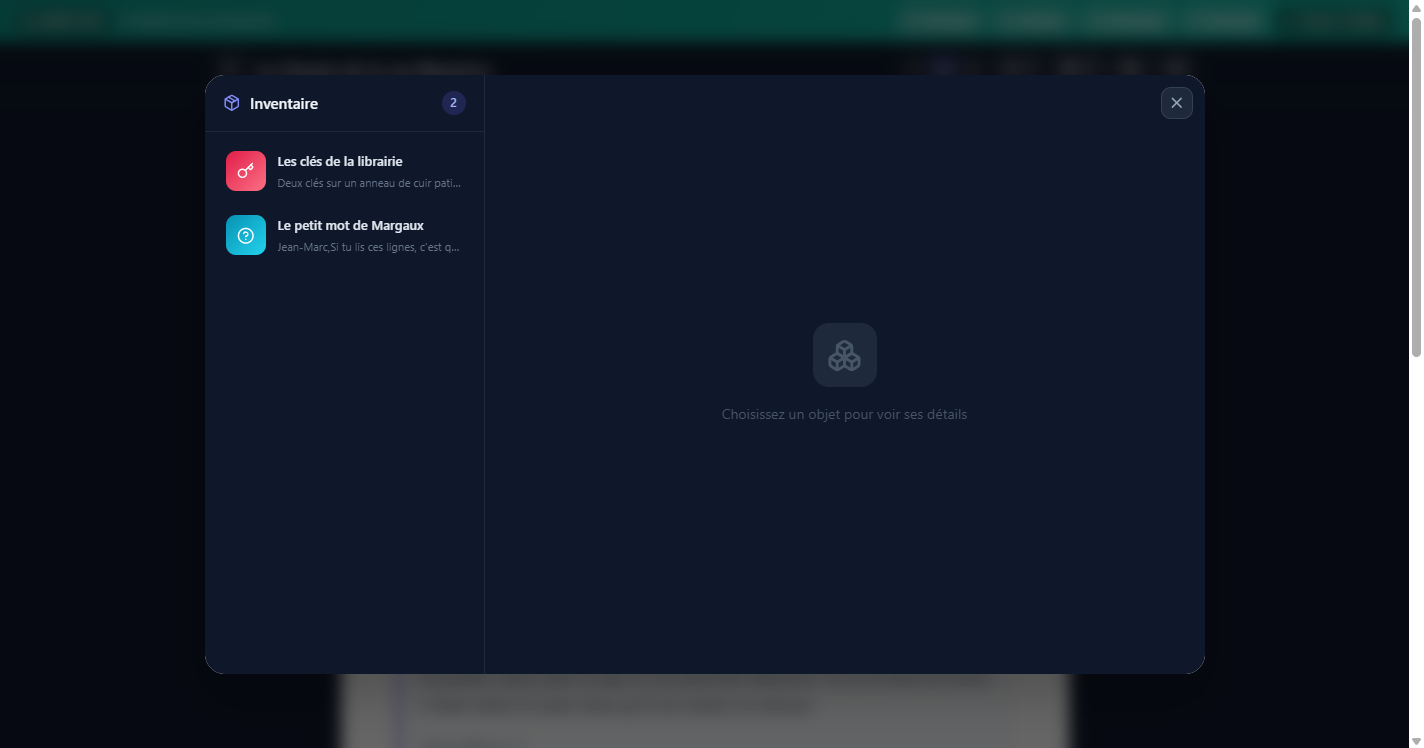
Les éléments forment la base du système d'inventaire du lecteur. Lorsqu'un élément est associé à une étape, le lecteur l'obtient en atteignant cette étape. Il peut ensuite consulter son inventaire à tout moment pour revoir les éléments collectés.
Inventaire narratif
# Ordre d'affichage dans les étapes
Lorsque plusieurs éléments sont associés à une même étape, vous pouvez contrôler leur ordre d'affichage. Cela vous permet de présenter les éléments dans une séquence logique et narrative cohérente.
- Glisser-déposer — Réordonnez les éléments dans l'éditeur d'étape
- Priorité narrative — Placez les éléments les plus importants en premier
- Regroupement logique — Groupez les éléments liés ensemble
# Éléments dans les explorations
Lors des explorations IA, les interactions du lecteur peuvent déclencher le déblocage d'éléments. En fouillant un environnement, le lecteur peut découvrir des objets ou documents qui rejoindront automatiquement son inventaire.
Découverte interactive
# Mode remplacement avancé
Le mode remplacement offre des usages avancés lorsqu'il est combiné avec d'autres fonctionnalités. En mode remplacement, le contenu de l'élément prend la place du contenu de l'étape, ce qui permet de créer des étapes entièrement dynamiques.
- Documents interactifs — L'étape devient un document à lire (lettre, rapport, article)
- Scènes alternatives — Le même embranchement affiche un contenu différent selon l'élément obtenu
- Flashbacks contextuels — Le contenu de l'étape change selon les éléments débloqués
# Éléments pour le worldbuilding
Les éléments sont un outil puissant pour construire votre univers narratif. Utilisez-les pour créer des fiches de lieux, des documents d'archive, des artefacts historiques et tout autre contenu qui enrichit le monde de votre histoire.
- Lieux — Descriptions détaillées de villes, donjons, forêts, planètes
- Documents — Lettres, journaux intimes, rapports officiels, articles de presse
- Artefacts — Objets magiques, reliques, technologies anciennes
- Créatures — Bestiaire avec descriptions et comportements
- Organisations — Factions, guildes, gouvernements avec leur histoire