# Personnages avancés
Les personnages de Livre Arbitre vont bien au-delà de simples fiches descriptives. Ce guide explore les fonctionnalités avancées qui vous permettent de créer des personnages dynamiques, révélés progressivement et intégrés dans toutes les facettes de votre histoire.
# Révélation progressive des personnages
Grâce au système de characterUnlockKey, vous pouvez contrôler quelles informations d'un personnage sont visibles par le lecteur à chaque étape de l'histoire. Chaque détail de personnage peut être verrouillé et débloqué uniquement lorsque le lecteur atteint une étape spécifique.
Créez les détails du personnage
Ajoutez tous les détails (profession, secret, motivation...) dans la fiche du personnage.
Définissez une clé de déblocage
Pour chaque détail que vous souhaitez révéler progressivement, associez une clé de déblocage (characterUnlockKey).
Liez le déblocage à une étape
Dans l'éditeur d'étape, configurez le déblocage du personnage pour que le lecteur découvre le détail en atteignant cette étape.
Créez du mystère
# Détails de personnage en clé-valeur
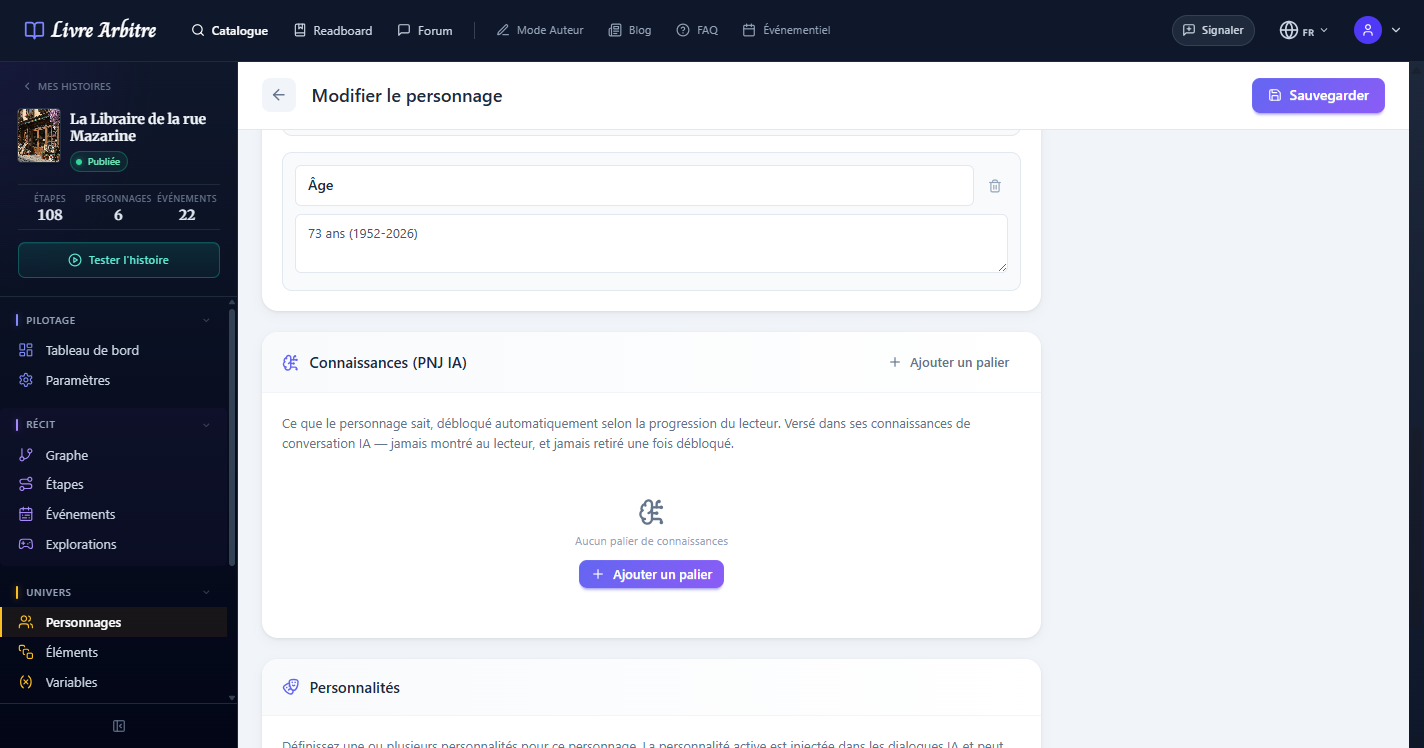
Les détails de personnage fonctionnent comme des paires clé-valeur extensibles. Vous n'êtes pas limité aux champs prédéfinis : vous pouvez ajouter autant d'attributs personnalisés que nécessaire pour enrichir la fiche de votre personnage.
| Clé | Valeur | Usage |
|---|---|---|
| Profession | Archéologue | Information de base |
| Signe particulier | Cicatrice sur la joue gauche | Détail visuel |
| Phobie | Claustrophobie | Trait de caractère révélé progressivement |
| Alliance secrète | Membre de la Confrérie | Secret débloqué par un choix spécifique |
| Pouvoir caché | Télékinésie | Capacité révélée tard dans l'histoire |
# Personnages dans les événements
Les personnages servent d'expéditeurs pour les événements de type email et message chat. Lorsque vous créez un événement, vous pouvez sélectionner un personnage comme source du message, ce qui affiche automatiquement son nom et son avatar dans la notification reçue par le lecteur.
- Emails — Le personnage apparaît comme expéditeur avec son nom et son avatar
- Messages chat — Le personnage est l'interlocuteur dans la conversation simulée
- Cohérence narrative — Le ton et le style du message doivent correspondre à la personnalité du personnage

# Personnages dans les dialogues PNJ
Le système de dialogues PNJ exploite les fiches personnages pour alimenter les conversations avec l'IA. Le background, la personnalité et les traits que vous avez définis sont utilisés pour générer des réponses cohérentes avec le personnage.
IA et personnalité
# Personnages dans les explorations
Lors des explorations IA, les interactions du lecteur peuvent déclencher le déblocage de détails de personnage. Par exemple, en fouillant un bureau, le lecteur pourrait découvrir un document révélant le passé secret d'un personnage.
# Images et avatars de personnages
Chaque personnage peut avoir un avatar qui le représente visuellement. Cette image est utilisée dans les fiches de personnage consultées par le lecteur, dans les événements (emails, messages) et dans les dialogues PNJ.
- Format recommandé — Image carrée en PNG ou JPG pour un affichage optimal
- Taille conseillée — Au minimum 200x200 pixels pour un rendu net
- Style cohérent — Utilisez un style graphique homogène pour tous vos personnages

# Bonnes pratiques pour les arcs de personnages
- Planifiez les révélations — Décidez dès le départ quels détails seront révélés et quand
- Utilisez les labels d'étapes — Marquez les étapes liées à un arc de personnage pour les retrouver facilement
- Testez les chemins alternatifs — Vérifiez que le personnage reste cohérent même si le lecteur ne suit pas le chemin principal
- Variez les modes de révélation — Combinez déblocage via étapes, explorations et événements pour une expérience riche
- Documentez les relations — Utilisez les champs personnalisés pour noter les liens entre personnages