# Qu'est-ce que l'encyclopedie ?
L'encyclopedie est une base de connaissances integree a votre histoire que les lecteurs peuvent consulter a tout moment pendant leur lecture. Elle vous permet de creer un univers riche et detaille sans surcharger le texte principal de vos etapes. Les lecteurs curieux peuvent y decouvrir l'histoire du monde, les biographies des personnages, un glossaire des termes ou un bestiaire des creatures.
Enrichissez sans alourdir
# Creer des categories
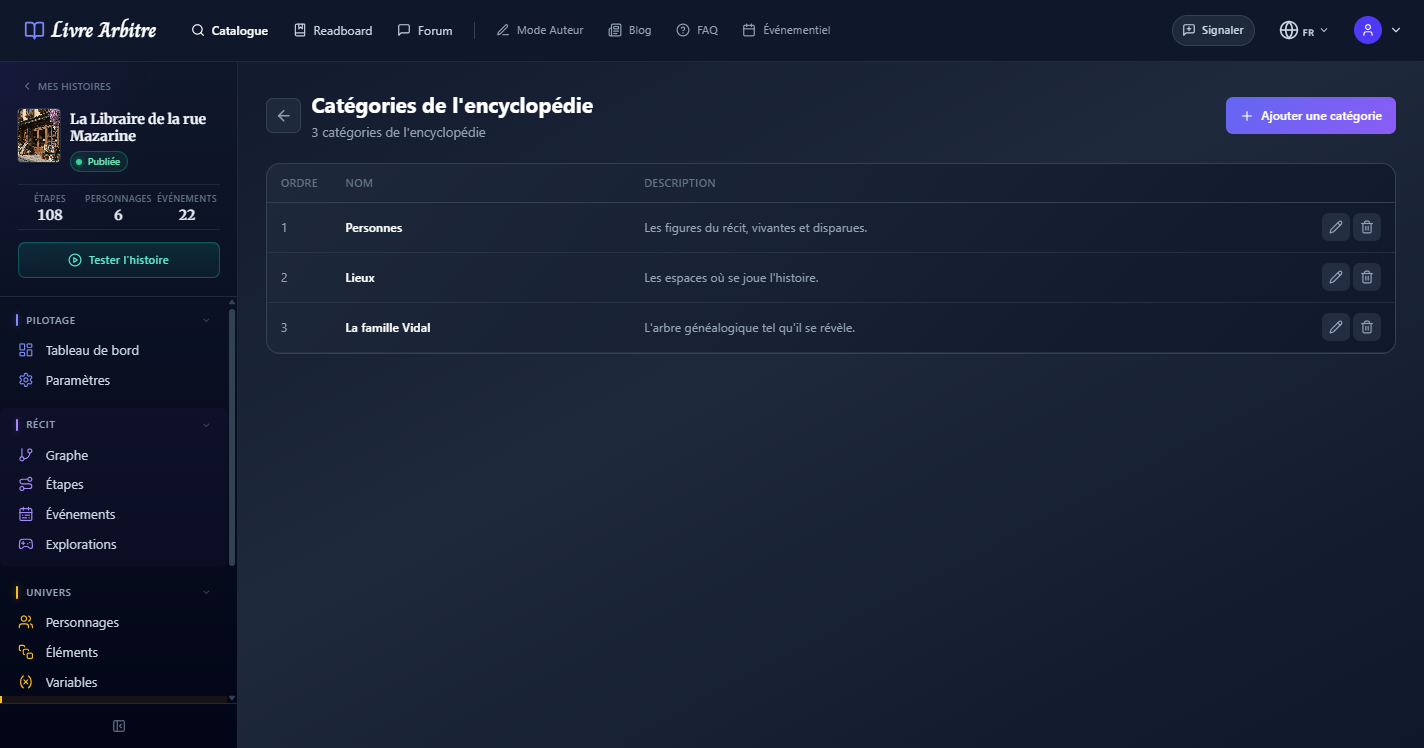
L'encyclopedie est organisee en categories qui structurent vos entrees. Vous pouvez creer autant de categories que necessaire pour organiser votre contenu : Personnages, Lieux, Factions, Creatures, Objets, Histoire du monde, etc.
Acceder a l'encyclopedie
Depuis le tableau de bord de votre histoire, cliquez sur la section "Encyclopedie" dans le menu lateral.
Creer une categorie
Cliquez sur "Nouvelle categorie" et donnez-lui un nom explicite (ex: "Bestiaire", "Factions", "Chronologie").
Organiser les categories
Rearrangez l'ordre des categories par glisser-deposer pour definir l'ordre d'affichage dans le lecteur.
# Creer des entrees
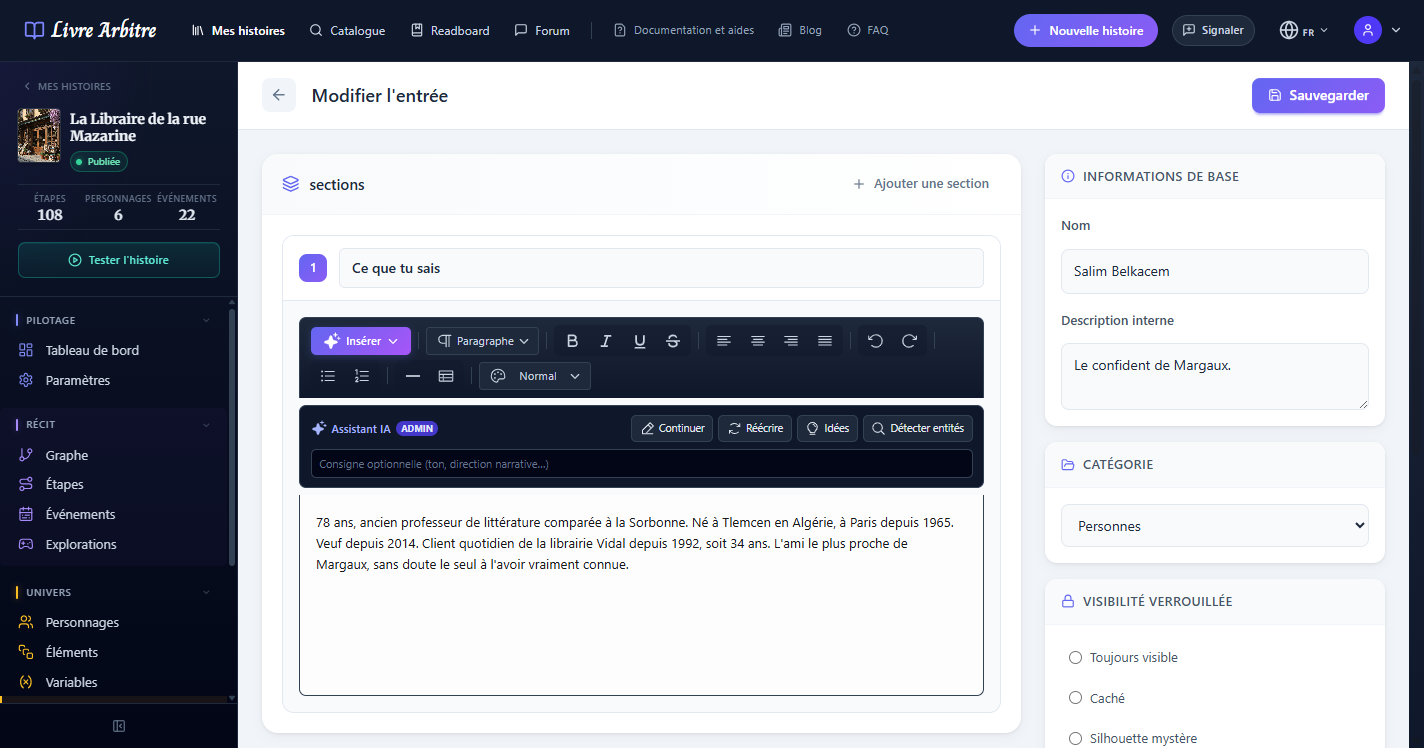
Chaque entree de l'encyclopedie est composee d'un titre, d'une image optionnelle et de sections de texte riche. Vous pouvez utiliser la mise en forme complete (gras, italique, listes, liens) pour creer des fiches detaillees et attrayantes.
# Modes de visibilite
Chaque entree de l'encyclopedie possede un mode de visibilite qui determine comment elle apparait aux lecteurs avant d'etre deverrouillee. Ce systeme permet de creer un sentiment de progression et de decouverte.
| Mode | Icone | Comportement |
|---|---|---|
| Hidden | Masque | L'entree n'apparait pas du tout dans l'encyclopedie tant qu'elle n'est pas deverrouillee. |
| Silhouette | ? | L'entree apparait comme une silhouette avec une icone "?" — le lecteur sait qu'il y a quelque chose a decouvrir. |
| TitleOnly | Titre visible | Le titre de l'entree est visible mais le contenu reste verrouille — un teaser pour le lecteur. |
| Available | Complet | L'entree est entierement visible des le debut de la lecture, sans condition de deverrouillage. |
Strategie de visibilite
# Deverrouillage par etape
Pour les entrees qui ne sont pas en mode "Available", vous pouvez definir des etapes de deverrouillage. Lorsque le lecteur atteint une etape liee a une entree de l'encyclopedie, celle-ci se deverrouille automatiquement et devient consultable. Une notification peut informer le lecteur qu'une nouvelle entree est disponible.
Selectionner l'entree
Ouvrez l'entree de l'encyclopedie que vous souhaitez lier a une etape.
Definir le mode de visibilite
Choisissez le mode de visibilite initial (Hidden, Silhouette ou TitleOnly).
Lier une etape de deverrouillage
Selectionnez l'etape qui declenchera le deverrouillage de l'entree. Vous pouvez lier plusieurs etapes si necessaire.

# Experience lecteur
Pendant la lecture, l'encyclopedie est accessible depuis le menu de lecture via une icone dediee. Le lecteur peut parcourir les categories, consulter les entrees deverrouillees et voir la progression de sa decouverte (nombre d'entrees deverrouillees sur le total).
